
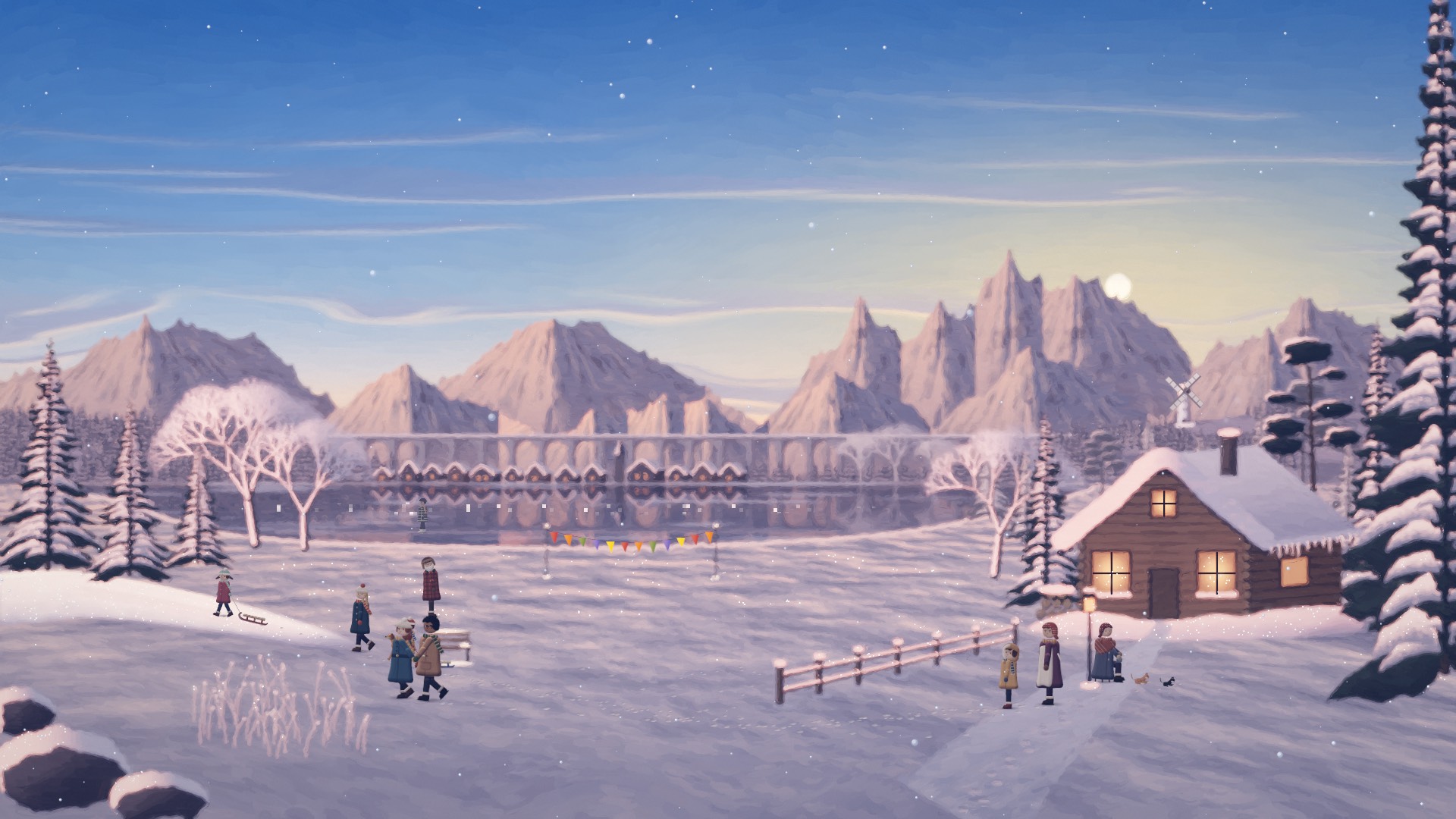
Scene one · yours today
Winter Vale
A mountain village with a tram, a plow, sledding kids, snowmen you build yourself and the aurora on clear nights.
ChillDesk paints a living winter village behind your icons. The tree lights up after dark, snow settles on your open windows, and on December nights Santa’s sleigh crosses your screen.
Christmas launch price, ends in a few days. Then $7.99.
Mac and WindowsPay once14-day refund
Recorded in the app. On Christmas Eve he flies every half hour.
people have written to us about ChillDesk.Nearly all of it says the same thing: they love it and show it to everyone.
On 1 December the village dresses up without you lifting a finger. On 7 January it packs everything away again.
Also in Christmas mode: the North Pole Workshop, with his sleigh loaded at the cabin door. See the whole Christmas desktop.
Nothing to set up and nothing to manage. Open ChillDesk once and the scene keeps going behind whatever you are doing.
The people in the scene have places to be. Grab one with your mouse, swing, let go. They land on a window or a soft drift, dust themselves off and walk on.
Shown in Winter ValeLeave a window open and the weather builds up along its top edge, a little more every minute. Drag the window and it all slides off.
Snow, in Winter ValeGrey dawn at seven, a bright noon, a warm sunset, lamps and stars after dinner. The scene follows the clock on your computer, so it never looks the same twice in a day.
Shown in Winter ValeEverything on your windows tumbles off and everyone wobbles. Try it on this one: drag it sideways.
The app feels the real thing: it needs a MacBook with a motion sensor. Macs without one, and Windows PCs, simply skip this part.
ChillDesk hides things. Open a door for a hint, then go and find the rest yourself.
Build a snowman and leave it alone for a while. Someone has plans for it.
Look up on a clear night. Make your wish quickly.
Watch the cabin windows when the lamps come on.
Something small crosses the far bridge now and then. Keep an eye on it.
Stay up past midnight on New Year’s Eve.
The kids have a game they play behind your windows. They think nobody sees.
The other doors stay shut. You’ll find them.
Little things happen when you are not looking. You catch them between emails.
The key lands in your inbox within a minute. Forward it with a note, they paste it in, and a village moves in behind their icons. Santa comes later.
Nothing to ship, so it is never too late. Home covers five computers for the whole family. 14 days to change your mind. Digital gift ideas.
ChillDesk is built to hold many scenes. Winter Vale is the first. The next ones are being painted now.
Scene one · yours today
A mountain village with a tram, a plow, sledding kids, snowmen you build yourself and the aurora on clear nights.
Scene two · on the easel
New places, new people, new weather on your windows. Same app, same key. No peeking.
It looks lively, but it is built to stay out of your way.
Pick Solo or Home. Your license key arrives by email within a minute.
Install for Mac or Windows and paste the key into the window that opens.
The scene appears behind your icons. It lives in the menu bar or tray from then on.
Both plans unlock the whole app, Christmas mode and every update after it. The only difference is how many computers.
Launch price ends in a few days
For your own computer.
$5.99once
Christmas price. $7.99 from 7 January.
For you and the people you live with.
$11.99once
$2.40 per computer
Christmas price. $15.99 from 7 January.
| Feature | Solo | Home |
|---|---|---|
| Computers at the same time | 1 | 5 |
| Every scene, villager and feature | Yes | Yes |
| Updates | All, free | All, free |
| Mac and Windows on one key | One or the other | Mixed |
| Move to a new computer | Yes | Yes |
| Upgrade later | Pay the difference | Already there |
Showing the price for . Prices are set per country, so ChillDesk costs about the same share of a day’s pay wherever you live. Stripe charges exactly the price you see here.
Already own Solo? Upgrade to Home and pay only the difference ($6.00).
On Christmas Eve he crosses your screen every half hour from 8 in the evening until 5 in the morning. On other December nights he shows up on about one night in three. You never know which.
Christmas mode turns itself on every 1 December and packs itself away after 6 January. The rest of the year you have the snowy Winter Vale, and the next scenes as they arrive. The Christmas price ends on 6 January.
Yes. The license key arrives by email. Forward it with a note, they download ChillDesk and paste the key. For a whole family, Home covers five computers in one household.
A license key by email, for good. It unlocks the whole app and every update we ship after it. Solo activates one computer, Home up to five. You pay once. There is no subscription.
No. ChillDesk is a stage for living scenes, and Winter Vale is the first one. More scenes are being painted now. The villagers, the weather on your windows and the clock-following sky are part of the app itself, not one season.
No. Instead you get 14 days to change your mind: write one line to support and the full amount goes back to your card.
Macs (Apple Silicon and Intel, one download) and Windows 10 or later. Shaking needs a MacBook with a motion sensor; everything else works everywhere.
No. It draws only while something moves and stops completely when the scene is still. It pauses when a window covers the desktop, when the screen is locked or asleep, and in Low Power Mode.
Yes. The scene lives behind your icons and windows. You only touch it when you mean to, like picking up a villager.
Prices are set per country so ChillDesk costs about the same share of a day’s pay everywhere. You always see your price before paying, and Stripe charges exactly that.
Open My license, type your email, and we send you a link. Remove the old computer there, then activate the new one with the same key. No password, no account.
Christmas launch price ends in a few days.
Mac and Windows · Pay once · 14 days to change your mind
Already bought? Mac download · Windows download